The short answer
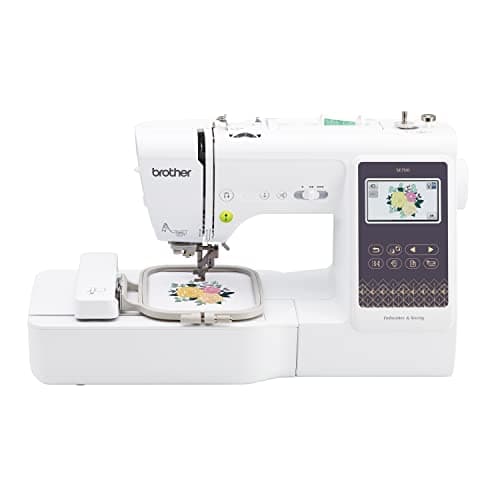
The Brother SE700 - and the most useful thing on this page is what it cannot do.
It sews and it embroiders, it has a touchscreen, and Brother publishes 135 built-in designs, over 103 sewing stitches and a 6.4 x 4.0 in work area. It is the least money you can spend on a machine that does both jobs properly.
Its field is 4 x 4 in - sixteen square inches, fixed in the hardware. That is the entire argument of this page. If sixteen square inches is genuinely enough for what you make, the budget tier is a bargain. If it is not, buying here means buying twice.
Why this page does not print prices
Every buy button on this site carries a live price pulled from Amazon, and no number is written into the prose anywhere. That is deliberate: a page that hard-codes “under $500” is wrong the week the price moves, and in this category it moves constantly.
So the brackets below are described in words - entry tier, mid tier - and the actual figure is in the button next to each machine, dated. If a machine has no live price on the day you look, the button says so rather than showing a remembered one. The reasoning is set out in full on what an embroidery machine costs.
How we judged the budget tier
Cheap machines are not judged the way expensive ones are. Three criteria, in this order.
1. What the ceiling is, and whether it is fixed
The maximum embroidery area is set by how far the carriage travels. No accessory lifts it. At the budget end this is the specification that decides whether the machine lasts you a year or five, and it is the one most buyers discover after they have spent.
2. Whether it also sews
At this tier the question is sharper than usual, because if the machine is your only machine it has to hem and seam as well. A cheap embroidery-only machine and a cheap sewing machine together often cost more than one combination machine that does both adequately.
3. What is missing from the specification sheet
This is where the budget tier is genuinely worse, and it is not about build quality. Brother publishes no maximum embroidery speed for the SE600, SE700, SE1900 or PE800. All four machines on this page are undocumented on the one figure that tells you how long a design takes. We rank them anyway, but we are not going to pretend we can compare them on throughput.
The four machines, on published numbers
Budget-tier embroidery machines on published manufacturer specifications| Machine | Field | Area | Sews? | Embroidery speed | Tier |
|---|
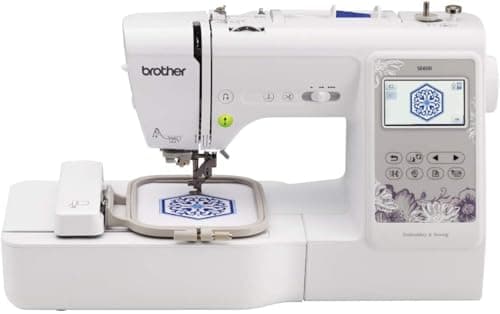
| Brother SE700 | 4 x 4 in | 16.0 sq in | Yes, over 103 stitches | Not published | Entry |
|---|
| Brother SE600 | 4 x 4 in | 16.0 sq in | Yes, 103 stitches | Not published | Entry |
|---|
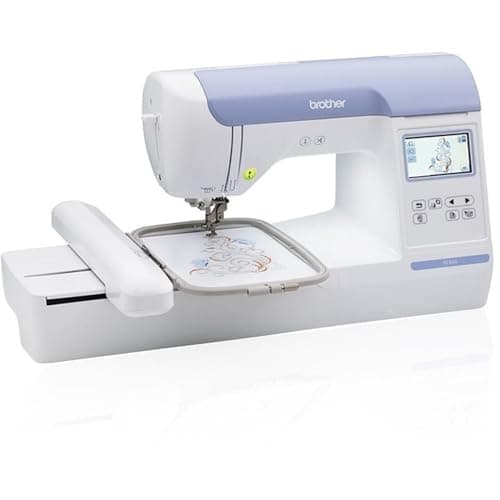
| Brother PE800 | 5 x 7 in | 35.0 sq in | No | Not published | Mid |
|---|
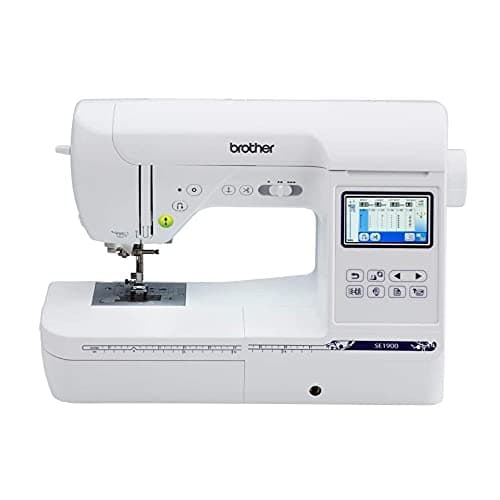
| Brother SE1900 | 5 x 7 in | 35.0 sq in | Yes, 240 stitches | Not published | Mid |
|---|
The one step up that is worth stretching for
4 x 4 in = 16 sq in. 5 x 7 in = 35 sq in.
35 / 16 = 2.19, so the mid tier is 119% more design area - the biggest proportional jump anywhere in the category, bigger than 5 x 7 in to 6 x 10 in (+71%) and bigger than 6 x 10 in to 12 x 8 in (+60%).
That is the arithmetic behind the standing advice on this site: if your budget can reach the mid tier at all, reaching it once costs less than buying the entry tier and then replacing it.
Why each machine placed where it did
1. Brother SE700 - most machine for the least money
It sews and embroiders, the touchscreen makes on-machine design editing bearable, and the 6.4 in work area to the right of the needle is the same figure Brother publishes for the SE600 - so nothing is compromised on the sewing side to hit the price.
The honest drawback: 16 square inches is a hardware ceiling and it is the one people hit fastest. Brother publishes no speed figure for it, so you cannot plan a run. If you have ever looked at a design and thought it would suit the back of a jacket, this machine will frustrate you inside a year.
2. Brother SE600 - the same machine, priced differently
Brother publishes the same 4 x 4 in field, 103 sewing stitches and a 6.4 x 4.1 in work area - a tenth of an inch more published height than the SE700. The difference in what you can actually stitch is nil.
The honest drawback: 80 built-in designs against the SE700’s 135, and the identical 4 x 4 in ceiling, so it is outgrown on exactly the same timeline. Buy whichever is cheaper on the day - the full comparison is on the SE600 against the SE700.
3. Brother PE800 - the cheapest route to a 5 x 7 in field
Brother publishes 5 x 7 in, 138 designs and 11 fonts. It does not sew, and that is precisely why it is cheaper than a combination machine at the same field - you are not paying for a sewing head.
The honest drawback: no sewing at all. No straight stitch, no hem, no seam. If you do not already own a sewing machine you like, this is the wrong buy however good the field-per-pound looks. Brother also publishes no speed figure and the screen is a small monochrome panel.
4. Brother SE1900 - the mid tier that still does both
Brother publishes 5 x 7 in, 138 designs and 240 sewing stitches. When it is discounted it is the best value on this page, because you get the mid-tier field without giving up the sewing head.
The honest drawback: no wireless transfer, so designs arrive by USB stick, and a 3 x 1.6 in screen. Brother publishes neither a speed nor a work area for it, so two of the figures we normally rank on are simply absent. If the SE2000 is close in price, that machine publishes both speeds and adds wireless - the two are compared here.
What you are actually giving up at this tier
Worth stating plainly, because the budget tier is often described as if the only difference were prestige.
Field, mostly. That is the real sacrifice and it is a hard one.
Documentation. Every machine on this page is missing its speed figure. Move up to the SE2000 or the PE900 and Brother publishes 650 spm.
Workflow, not results. Wireless transfer, a color touchscreen and a jump-stitch trimmer are conveniences. None of them changes the stitching. A patch or a monogram made on an SE700 is not visibly worse than one made on a machine costing three times as much.
Skip this
Skip the entry tier entirely if you already know what you want to make
The 4 x 4 in machines are a bargain for monograms, pocket motifs and left-chest logos, and a trap for anything else. Sixteen square inches will not take a name across a back, a towel band or a full-front design, and no hoop you can buy changes that.
If your list already includes any of those, start at 5 x 7 in. If your ambitions run to a 10 in long axis, the honest answer is that you are not shopping the budget tier at all - the large-designs roundup is the page you want.
Choosing in two questions
Do you already own a sewing machine you like? Yes: buy embroidery-only and put the saving into field - the PE800. No: buy a combination machine, and the SE700 is the floor.
What is the largest thing you actually want to stitch? If it fits in a 4 in square, the entry tier is genuinely enough and you should not be talked up. If it does not, stretch to 5 x 7 in now. Check your real designs against what fits in each hoop before you decide.