Skip to content

Roundup

The best embroidery machines for beginners

Beginner does not mean small. It means you have not yet learned which specification you will regret, so here is which one it is.

By Scooter M., enthusiastPublished September 1, 2026How we pick

Heads up: the buy links on this page are affiliate links. If you buy through one we earn a commission at no extra cost to you. It does not change what we recommend or the order we rank things in - here is how we keep those separate.

The shortlist

Ranked, with the numbers

Ranked on published manufacturer specifications, normalized to the same units, with the arithmetic on what each step up actually buys. Tap any row for the full write-up, including who should skip it.

#MachineBest forScorePrice
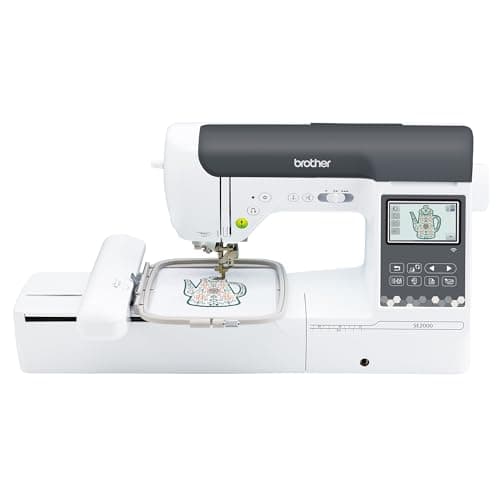
01A domestic sewing machine on a table - a stand-in for the Brother SE2000, not a photograph of this modelBrother SE2000The upgrade out of a 4 x 4 in combo machineBest first machine8.6Check price on Amazon
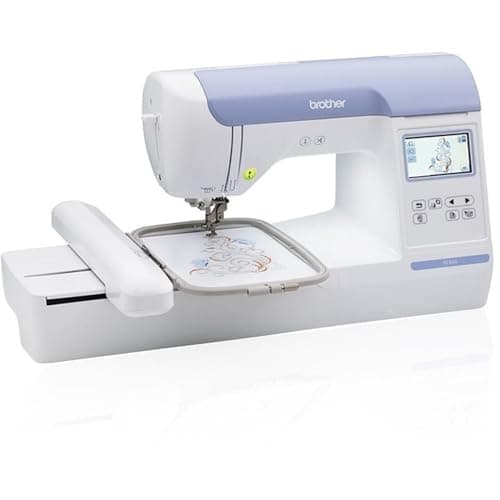
02Embroidery machines lined up in a textile workshop - a stand-in for the Brother PE800, not a photograph of this modelBrother PE800Adding embroidery beside a sewing machine you already ownBest if you already sew8.0Check price on Amazon
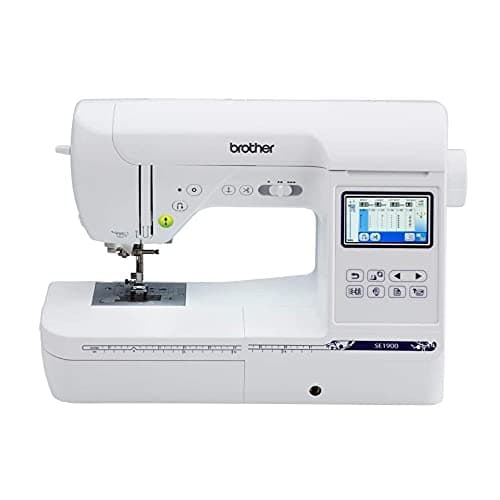
03A domestic sewing machine on a table - a stand-in for the Brother SE1900, not a photograph of this modelBrother SE1900Buyers who find it discounted well below the SE2000Best on discount7.6Check price on Amazon
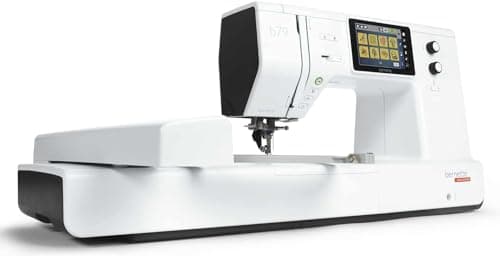
04A domestic sewing machine on a table - a stand-in for the bernette 79, not a photograph of this modelbernette 79Buyers who want the numbers published before they commitBest to grow into8.9Check price on Amazon
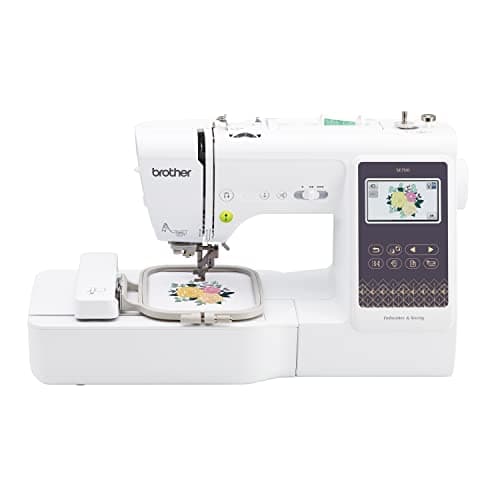
05A domestic sewing machine on a table - a stand-in for the Brother SE700, not a photograph of this modelBrother SE700A first embroidery machine you expect to replaceCheapest entry7.4Check price on Amazon

Scores are ours and editorial. They are never published as review or rating markup, because we have not tested these machines - here is what we did instead.

The short answer

Buy the Brother SE2000, not a 4 x 4 in machine.

The single most common beginner mistake in this category is buying the cheapest machine and discovering, about eight months in, that 4 x 4 in is a hardware limit you cannot buy past.

The SE2000 gives you 5 x 7 in - 119% more design area - plus a color touchscreen, wireless design transfer and both published speed figures. It is the machine most people who start at 4 x 4 in end up buying anyway.

What “beginner” actually costs you

A beginner machine is not a simpler machine. Every machine on this page has a touchscreen, built-in designs and an automatic needle threader. What a cheap machine takes away is not complexity - it is field size.

The Brother SE700 and SE600 both stop at 4 x 4 in. That is sixteen square inches. It monograms a towel, does a left-chest logo and puts a name on a bib. It will not do a design across a tote bag, a jacket back or most of the things people buy an embroidery machine imagining they will make.

Why the entry tier is a false economy for most people

4 x 4 in = 16 sq in. 5 x 7 in = 35 sq in. That is 119% more design area, and it is the largest proportional step anywhere in the category - larger than 5 x 7 in to 6 x 10 in (+71%) and larger than 6 x 10 in to 12 x 8 in (+60%).

If you buy the entry tier and upgrade in a year, you have bought two machines. If your honest answer is “I only want monograms”, the entry tier is correct and you should not pay for field you will not use. Everyone else should skip it.

The three questions that decide it

1. Do you already own a sewing machine you like?

If yes, buy an embroidery-only machine. The PE800 gives you the same 5 x 7 in field without paying for a second sewing head, and it leaves your sewing machine threaded for piecing. If no, buy a combination machine.

2. What is the largest thing you actually want to make?

Measure it. If it is bigger than 7 inches on its long axis, you want 6 x 10 in and you should read the full roundup rather than this page. If it is smaller, 5 x 7 in is the right ceiling.

3. How do you want designs to reach the machine?

This sounds trivial until you have done it fifty times. Wireless transfer - on the SE2000 and PE900 - means you send a design from a computer and it appears. Everything else means a USB stick. It is the single largest quality-of-life difference between machines at this tier.

Skip this

Skip the SE1900 unless it is heavily discounted

It has the same 5 x 7 in field as the SE2000 and 240 built-in stitches, which is plenty. But it has no wireless, a 3 x 1.6 in screen against the SE2000’s 3.7 in color touchscreen, and Brother publishes neither a speed figure nor a work area for it. If it is within about 15% of the SE2000’s price, the newer machine is the better buy.

What you will spend money on next

Not a bigger machine, if you buy the right one now. Stabilizer, thread and a second hoop, in that order. The second hoop is the one people skip and should not: it lets one piece stitch while you prepare the next, which is most of the difference between embroidery being fun and being a queue.

After that, a magnetic frame. Brother’s SAMF180N is a 4 x 7 in magnetic frame listed as fitting the PE800, PE900, SE1900 and SE2000, and it is the actual fix for hoop burn on toweling and knits.

The write-ups

Every pick, in full

01 / Best first machine

A domestic sewing machine on a table - a stand-in for the Brother SE2000, not a photograph of this model

Brother

8.6 / 10

Upper combo tier

Brother SE2000

The combo machine to buy if you are upgrading rather than starting: 5 x 7 in of field, 241 sewing stitches, a 3.7 in color screen, wireless design transfer, and published speed figures, which most of Brother's range does not have.

Check price on Amazon

#ad We hold no verified live price for this machine, so we show none. How this site is funded.

Published specifications for the Brother SE2000, with the source of each
SpecificationPublished valueWhere it is published
Maximum embroidery area5 in x 7 inPublished as "5" x 7""Brother SE2000 product page
Needle to arm7.4 inPublished as "7.4" from needle to arm"Brother SE2000 product page
Maximum embroidery speed650 stitches per minuteBrother SE2000 product page
Maximum sewing speed850 stitches per minuteBrother SE2000 product page
Built-in embroidery designs193Brother SE2000 product page
Built-in sewing stitches241Brother SE2000 product page
Magnetic hoop supportTakes the Brother 4 in x 7 in magnetic hoopBrother SE2000 product page
Display3.7 in color LCD touchscreenBrother SE2000 product page

The arithmetic

5 x 7 in is 35 sq in of design area. 4 x 4 in is 16. The upgrade more than doubles what you can stitch in one hooping.

35 / 16 = 2.19. Everything that previously needed splitting across two hoopings - a full back design, a large name drop, most jacket work - becomes a single hooping. The time saved is not the stitching. It is the re-hooping and the alignment.

What it does well

  • 119% more design area than any 4 x 4 in machine
  • Brother publishes both speed figures, which the SE600 and SE700 pages do not
  • Wireless design transfer removes the USB stick from the workflow
  • Officially supports the 4 x 7 in magnetic hoop, which is the real fix for hoop burn

What it does not

  • 650 spm embroidery is slow next to a multi-needle machine's 1,000
  • 7.4 in needle-to-arm is a domestic figure; it does not make this a quilting machine

Skip this one if

You are going to want 6 x 10 in within a year. Buy the field you will need, not the field you need today.

How it scores, by criterion

Room to work7.5
What it upgrades from9.5
Value for the tier8.5
Headroom before the next upgrade7.0
Spec transparency9.5

02 / Best if you already sew

Embroidery machines lined up in a textile workshop - a stand-in for the Brother PE800, not a photograph of this model

Brother

8.0 / 10

Mid embroidery-only tier

Brother PE800

5 x 7 in of field with no sewing head to pay for. If you already own a sewing machine you like, this is the cheapest route to a 5 x 7 in hoop.

Check price on Amazon

#ad We hold no verified live price for this machine, so we show none. How this site is funded.

Published specifications for the Brother PE800, with the source of each
SpecificationPublished valueWhere it is published
Maximum embroidery area5 in x 7 inPublished as "5" x 7"" embroidery fieldBrother PE800 product page
Included hoop5 in x 7 in embroidery hoopBrother PE800 product page
Built-in embroidery designs138 designs, 11 fontsBrother PE800 product page
Display3.2 in x 1.8 inBrother PE800 product page
Maximum embroidery speedBrother does not publish a figure for this modelBrother PE800 product page
Sewing capabilityNone - this is a dedicated embroidery machineBrother PE800 product page

What it does well

  • 35 sq in of field without paying for a sewing head
  • Brother lists it as compatible with the 4 x 7 in magnetic frame
  • Frees your sewing machine to stay threaded for piecing

What it does not

  • No sewing at all
  • No published speed figure
  • Monochrome 3.2 x 1.8 in screen

Skip this one if

This would be your only machine. It does not sew: no straight stitch, no seam, no hem.

How it scores, by criterion

Room to work7.5
What it upgrades from8.5
Value for the tier9.0
Headroom before the next upgrade6.5
Spec transparency6.5

03 / Best on discount

A domestic sewing machine on a table - a stand-in for the Brother SE1900, not a photograph of this model

Brother

7.6 / 10

Upper combo tier

Brother SE1900

The SE2000's predecessor: same 5 x 7 in field, 240 sewing stitches, a smaller screen and no wireless. Worth buying on price alone, and Brother publishes neither a speed figure nor a work area for it.

Check price on Amazon

#ad We hold no verified live price for this machine, so we show none. How this site is funded.

Published specifications for the Brother SE1900, with the source of each
SpecificationPublished valueWhere it is published
Maximum embroidery area5 in x 7 inPublished as "5" x 7"" maximum embroidery areaBrother SE1900 product page
Built-in embroidery designs138Brother SE1900 product page
Built-in sewing stitches240Brother SE1900 product page
Display3 in x 1.6 inBrother SE1900 product page
Maximum embroidery speedBrother does not publish a figure for this modelBrother SE1900 product page
Work area (needle to arm)Brother does not publish a figure for this modelBrother SE1900 product page

What it does well

  • The same 5 x 7 in field as the SE2000 for less money
  • 240 built-in stitches is a complete domestic sewing set

What it does not

  • No wireless transfer
  • 3 x 1.6 in screen against the SE2000's 3.7 in color touchscreen
  • Two of the numbers that matter most are simply not published

Skip this one if

The SE2000 is within about 15% of the price. Wireless transfer and the larger screen are the difference between a pleasant workflow and a USB stick.

How it scores, by criterion

Room to work7.5
What it upgrades from8.5
Value for the tier8.0
Headroom before the next upgrade7.0
Spec transparency5.0

04 / Best to grow into

A domestic sewing machine on a table - a stand-in for the bernette 79, not a photograph of this model

bernette

8.9 / 10

Premium combo tier

bernette 79

The most completely documented combo machine in this comparison. bernette publishes the embroidery field in both unit systems, the space to the right of the needle in both, and both speed figures, which is more than Brother does for any machine in its own range.

Check price on Amazon

#ad We hold no verified live price for this machine, so we show none. How this site is funded.

Published specifications for the bernette 79, with the source of each
SpecificationPublished valueWhere it is published
Maximum embroidery area260 mm x 160 mm (10.2 in x 6.3 in)Published as "260x160mm (10.2"x6.3")"bernette 79 product page
Space to the right of the needle9 in (230 mm)Published as "9"" / 230 mmbernette 79 product page
Maximum embroidery speed850 stitches per minutebernette 79 product page
Maximum sewing speed1,000 stitches per minutebernette 79 product page
Sewing stitches500bernette 79 product page
Embroidery designs208bernette 79 product page

What it does well

  • 64.3 sq in of design area, the largest single-needle field here short of the flagships
  • 9 in to the right of the needle, wider than any Brother combo machine
  • 850 spm embroidery beats every Brother combo machine that publishes a figure
  • Every number we wanted is published, in both unit systems

What it does not

  • Smaller accessory and design ecosystem than Brother in the United States
  • Hoops do not carry over from a Brother machine

Skip this one if

You are already inside the Brother design and hoop ecosystem and own hoops. Switching brands means re-buying them.

How it scores, by criterion

Room to work9.5
What it upgrades from9.0
Value for the tier8.0
Headroom before the next upgrade8.5
Spec transparency10.0

05 / Cheapest entry

A domestic sewing machine on a table - a stand-in for the Brother SE700, not a photograph of this model

Brother

7.4 / 10

Entry combo tier

Brother SE700

The cheapest honest way into machine embroidery, and the machine most people outgrow first. A 4 x 4 in hoop is 16 square inches of design area: it will monogram, it will do a left-chest logo, and it will not do the back of a jacket.

Check price on Amazon

#ad We hold no verified live price for this machine, so we show none. How this site is funded.

Published specifications for the Brother SE700, with the source of each
SpecificationPublished valueWhere it is published
Maximum embroidery area4 in x 4 inPublished as "4" x 4"" maximum embroidery areaBrother SE700 product page
Work area (needle to arm)6.4 in wide x 4.0 in highPublished as "6.4" x 4.0" work area"Brother SE700 product page
Built-in embroidery designs135Brother SE700 product page
Built-in sewing stitchesOver 103Brother SE700 product page
Display3.2 in x 1.8 in LCDBrother SE700 product page
Maximum embroidery speedBrother does not publish a figure for this modelBrother SE700 product page

The arithmetic

Moving from a 4 x 4 in hoop to a 5 x 7 in hoop is not 75% more room. It is 119% more.

4 x 4 = 16 sq in. 5 x 7 = 35 sq in. 35 / 16 = 2.19, so the 5 x 7 in field is 119% larger. That is the biggest proportional jump anywhere in the Brother range, and it is why the SE700 is the machine most first buyers replace.

What it does well

  • Sews and embroiders, so it can be the only machine on the table
  • Touchscreen design editing rather than a button-and-dial interface
  • The 6.4 in work area matches the SE600, so piecing is unaffected

What it does not

  • 4 x 4 in is a hardware ceiling, not a hoop you can buy past
  • Brother publishes no stitches-per-minute figure for it

Skip this one if

You already know you want designs bigger than a coaster. The 4 x 4 in ceiling is fixed in hardware and no accessory hoop lifts it.

How it scores, by criterion

Room to work4.5
What it upgrades from8.5
Value for the tier8.0
Headroom before the next upgrade4.0
Spec transparency7.0

How this was ranked

Machines we claim to have tested: none. Everyone in this category says they tested twenty. We have not tested any, and we say so. What we did instead: built the candidate set from what Amazon actually stocks, read the published specification off each manufacturer’s own page, normalized every measurement into the same units and the same order, did the arithmetic on what each step up buys, and left every figure the maker does not publish visibly blank rather than filling it in. Every number on this page links to where it was published, so you can check the work in about five minutes.

Sponsored placements
0
Free machines accepted
0
Specs linked to a maker page
All

The full method, including what we refuse to claim
Questions people actually ask

Frequently asked

Is a 4 x 4 in embroidery machine enough to start with?

Only if monograms and left-chest logos are genuinely all you want. 4 x 4 in is 16 square inches and it is a hardware ceiling - no accessory hoop lifts it. Most people who keep embroidering replace a 4 x 4 in machine within a year, which means buying two machines instead of one.

Should a beginner buy a combination machine or an embroidery-only one?

If you already own a sewing machine you like, buy embroidery-only - the Brother PE800 gives the same 5 x 7 in field without paying for a sewing head you already have. If this will be your only machine, buy a combination machine such as the SE2000.

What is the easiest embroidery machine to use for a beginner?

The Brother SE2000, mostly because of how designs get onto it: it is wireless LAN enabled, so a design goes from a computer to the machine without a USB stick. It also has the largest screen at this tier at 3.7 in, per Brother’s specifications.

How many built-in designs do I need?

Fewer than you think. Built-in libraries range from 80 on the SE600 to 258 on the NQ3550W, and most people stitch designs they downloaded rather than ones that came with the machine. Do not let the design count decide a purchase that field size should decide.

Do I need wireless design transfer?

Need, no. Want, almost certainly. It removes the USB stick from every single design you ever stitch. Brother lists wireless on the PE900, SE2000 and NQ3550W; it is absent from the SE600, SE700, SE1900 and PE800.

Sources

Every specification on this page was read from one of these pages on 1 September 2026.

Read next