Skip to content

Roundup

The best embroidery machines for home use

The specification that decides whether a machine works in a house is the one nobody leads with: how much table it takes, and whether you can lift it off that table when dinner arrives.

By Scooter M., enthusiastPublished September 21, 2026How we pick

Heads up: the buy links on this page are affiliate links. If you buy through one we earn a commission at no extra cost to you. It does not change what we recommend or the order we rank things in - here is how we keep those separate.

The shortlist

Ranked, with the numbers

Ranked on published manufacturer specifications, normalized to the same units, with the arithmetic on what each step up actually buys. Tap any row for the full write-up, including who should skip it.

#MachineBest forScorePrice
01Brother SE2000Brother SE2000The upgrade out of a 4 x 4 in combo machineBest for home use overall8.6$1,499.99 - View on Amazon
02Brother SE700Brother SE700A first embroidery machine you expect to replaceSmallest published footprint7.4$579.99 - View on Amazon
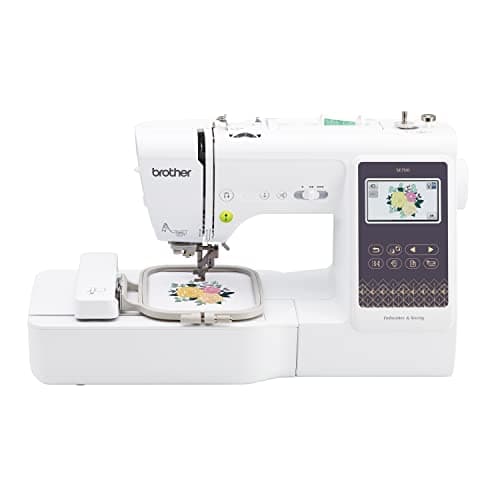
03Brother PE900Brother PE900A 5 x 7 in embroidery-only machine you will use every weekBest if you already sew8.4$1,179.99 - View on Amazon
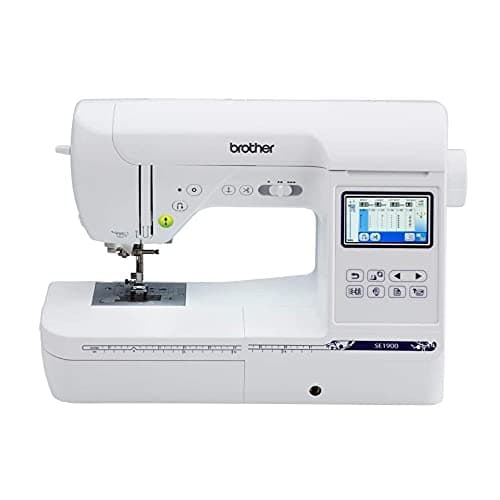
04Brother SE1900Brother SE1900Buyers who find it discounted well below the SE2000Best when discounted7.6$1,168.95 - View on Amazon
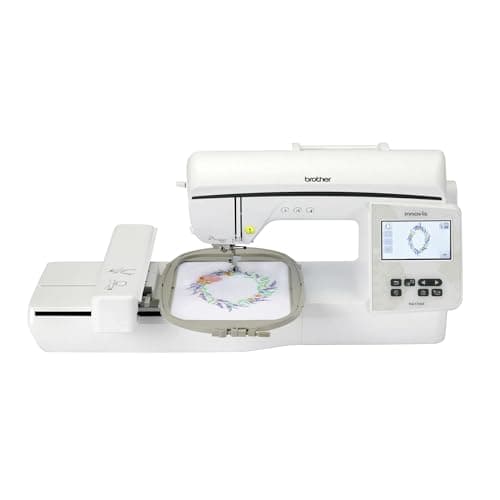
05Brother NQ1700EBrother NQ1700E6 x 10 in embroidery on a current machine you can actually buy todayOnce it gets a permanent table8.6$2,399.99 - View on Amazon

Scores are ours and editorial. They are never published as review or rating markup, because we have not tested these machines - here is what we did instead.

The short answer

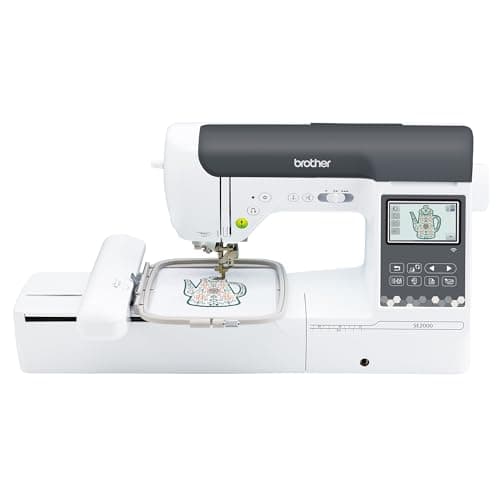
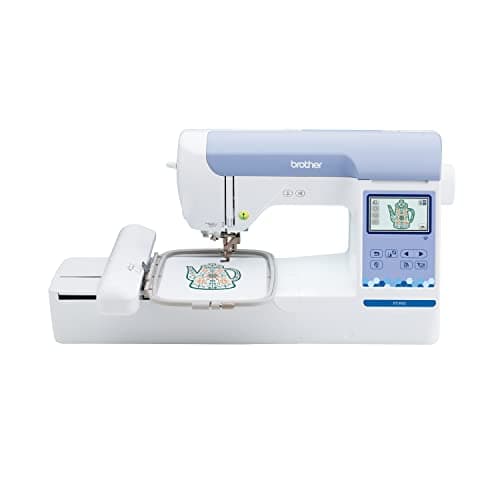
The Brother SE2000 - one machine, one footprint, and a 5 x 7 in field.

Brother publishes a unit weight of 20.5 lb, unit dimensions of 9.49 x 17.56 x 11.81 in and a maximum embroidery area of 5 x 7 in. It sews as well as it embroiders, which is the part that matters at home: it is one machine on one surface instead of two machines on two.

It is not the lightest here and it is not the biggest field here. It is the machine that asks a house for the least while still doing both jobs.

Why this page is about size and not features

Every other page about home embroidery machines ranks on stitch counts and screen sizes. Those are real, but they are not what a house rations. A house rations surface: a piece of table that has to be clear before you can start, and that somebody else wants back.

So this page ranks on the four things that decide whether a machine survives contact with a home - and it reports, honestly, how badly those four things are published.

1. Published weight - can you put it away?

The figure that decides whether the machine lives in a cupboard between projects or lives on the table forever. Brother publishes a unit weight for six of the eight Brother machines here, from 15.06 lb (SE700) to 83.776 lb (PR680W).

2. The longest published side - what surface does it need?

The axis you have to clear. Here is the problem: Brother publishes three numbers under “Unit Dimensions” and does not label any of them. You get 9.49 x 17.56 x 11.81 for the SE2000 and no indication of which one is the width and which is the depth. So the only figure you can actually plan with is the largest of the three, because that is the one that has to fit no matter which way round it is.

3. Does it have to be two machines?

The PE800 and PE900 embroider and nothing else. If you also sew, their real footprint is their own plus whatever sewing machine sits next to them. A combination machine like the SE2000 or SE1900 does both from one footprint. That is a space argument before it is a money argument.

4. Field size - the space cost you pay in time

A 4 x 4 in field does not take less room on the table than a 5 x 7 in field on the same machine. What it takes is more of your evening, because more designs need re-hooping. What actually fits in each hoop size works that through.

Everything each maker publishes

Manufacturer-published figures only, read from each product page on 2026-09-21
MachinePublished machine sizePublished weightCarton sizeFieldPublished embroidery speed
Brother SE7007.76 x 16.50 x 12.09 in (axes unlabeled)15.06 lb17 x 21 x 16 in4 x 4 inNot published
Brother SE600Not publishedNot published17 x 22 x 16 in4 x 4 in400 spm
Brother PE80017.48 x 9.48 x 11.81 in (axes unlabeled)17.64 lb20 x 22 x 20 in5 x 7 in650 spm
Brother PE9009.49 x 17.48 x 11.81 in (axes unlabeled)17.64 lb20 x 23 x 20 in5 x 7 inNot published
Brother SE190013.43 x 23.19 x 11.54 in (axes unlabeled)22.05 lb23 x 24 x 19 in5 x 7 inNot published
Brother SE20009.49 x 17.56 x 11.81 in (axes unlabeled)20.5 lb23 x 23 x 19 in5 x 7 inNot published
Brother NQ1700E27.37 L, 16.62 W, 11.87 H (see note)27 lb20 x 24 x 21 in6 x 10 in850 spm
Brother NQ3550WNot publishedNot published23 x 27 x 22 in6 x 10 inNot published
bernette 79Not publishedNot publishedNot published10.2 x 6.3 in850 spm
Brother PR680W20.157 x 23.110 x 23.189 in83.776 lb30 x 32 x 32 in12 x 8 in1,000 spm

Ten machines. Seven publish a machine size, six publish a weight, and all ten publish a carton. That last point turns out to be the useful one.

Three things in that table worth saying out loud

The PE800 and the PE900 are the same box, written two ways

Brother publishes 17.48 x 9.48 x 11.81 for the PE800 and 9.49 x 17.48 x 11.81 for the PE900. Same three numbers, different order, no axis labels on either. They are the same size machine described two different ways on the same manufacturer’s website, which is the clearest possible demonstration that these strings are not being treated as a specification.

The one page that labels the axes gets the units wrong

The NQ1700E page is the only one here that tells you which number is which. It publishes 27.37’L, 16.62”W, 11.87’ H - two of the three marked with a foot symbol rather than an inch symbol. Read literally that is a machine 27 feet long. It is obviously inches, and we have listed it as inches, but a figure that ships with the wrong unit is a figure nobody checked.

Two machines publish no size at all, and one publishes nothing

Brother publishes neither dimensions nor weight for the SE600 or the NQ3550W - only the carton. And bernette publishes a detailed spec sheet for the 79, including a 10.2 x 6.3 in embroidery area and an 850 spm embroidery speed, with no dimensions, no weight and no carton size anywhere on it.

Plan with the carton. It is the only number every machine has.

The shipping carton is published for every Brother machine here, and it is always bigger than the machine. How much bigger, comparing each carton’s longest side with the machine’s longest published side:

SE700: 21 in carton vs 16.50 in machine = 27% bigger.
PE800: 22 vs 17.48 = 26% bigger.
PE900: 23 vs 17.48 = 32% bigger.
SE2000: 23 vs 17.56 = 31% bigger.
SE1900: 24 vs 23.19 = 3% bigger.

So if you clear the carton’s footprint, the machine fits with room to work - everywhere except the SE1900, where the box is barely larger than the machine and you should treat 24 in as the real number.

And one that does not work: the NQ1700E publishes a machine length of 27.37 against a carton whose longest side is 24 in. A machine cannot be longer than the box it shipped in, so one of those two numbers is wrong. Give it 27 in of clear surface and you are covered either way.

Why each machine placed where it did

1. Brother SE2000 - one machine instead of two

20.5 lb, a longest published side of 17.56 in, a 5 x 7 in field, and it sews. For a house that is the whole argument: a combination machine is one thing to find room for, one thing to put away, one power socket. Its full write-up is on the SE2000 review.

The honest drawback: 20.5 lb is a two-handed lift, so “put it away” realistically means a low shelf rather than a high one. And because Brother does not label the axes, you are clearing 17.56 in without knowing whether that is the depth of your table or the width of it.

2. Brother SE700 - the smallest thing here that still does both jobs

15.06 lb is the lightest published weight of any machine on this site, and 16.50 in is the shortest longest-side of any Brother machine here. One of its three published numbers is 7.76 in, which means one dimension of this machine is genuinely narrow. It also sews.

The honest drawback: the 4 x 4 in field. That is a quarter of the area of the 5 x 7 in machines, and it is the difference between stitching a chest logo in one hooping and stitching it in three. Brother also publishes no embroidery speed for it, so you cannot compare it on that.

3. Brother PE900 - the right answer if you already own a sewing machine

17.64 lb, a 5 x 7 in field and 193 built-in designs. If your sewing machine is already set up and staying, a dedicated embroidery machine does not have to compromise on sewing, and the PE900 is the current version of that idea.

The honest drawback: it cannot sew, so in space terms this is the two-machine answer - your real footprint is the PE900 plus whatever is beside it. Compare it directly against its combination sibling on PE900 vs SE2000.

4. Brother SE1900 - the value pick, and the biggest one

22.05 lb, a 5 x 7 in field, and it sews. It is the combination machine that most often shows up discounted below its siblings, which is a real reason to buy it.

The honest drawback: 23.19 in on its longest published side - 32% longer than the SE2000’s 17.56 in, and the largest published machine footprint of any combination machine here. On a shared table that difference is the difference between fitting and not.

5. Brother NQ1700E - the one that stops being portable

27 lb, a 6 x 10 in field and a published 850 spm - the biggest field and the only published embroidery speed among the machines a home buyer would realistically shortlist. Its review covers what that field unlocks.

The honest drawback: at 27 lb and a published 27.37 in long axis, this is a machine that gets a permanent table or it does not get used. It is also embroidery only, at a price above two of the combination machines here.

The machines we left off, and why

Brother SE600 and NQ3550W. Both are real, currently-purchasable machines and both are picks elsewhere on this site. They are not picks on a page about fitting a machine into a house, because Brother publishes neither a size nor a weight for either of them. We are not going to recommend a machine for a space we cannot tell you it fits in.

bernette 79. A good combination machine with the largest embroidery area of any single-needle here at 10.2 x 6.3 in, and it is on the combination machines roundup. Same reason: bernette publishes no dimensions and no weight at all.

Brother PR680W. 83.776 lb and 23 in tall. That is four times the weight of the SE2000 and it is designed to live on a stand. It belongs on the multi-needle page, not this one.

Skip this

Skip this page entirely in two cases

If you are selling what you stitch. The constraint stops being surface and becomes thread changes per garment, which is a completely different ranking. Embroidery machines for a home business does that one.

If the machine is getting a dedicated table anyway. Once footprint stops mattering, field size decides, and the main roundup ranks every machine on this site by exactly that, from 16 square inches to 112.

Choosing in three questions

Does it have to go away after each session? If yes, weight is your ranking and the SE700 at 15.06 lb wins it. If no, skip to the next question.

Do you already own a sewing machine you are keeping? If yes, an embroidery-only machine costs you nothing extra in versatility and the PE900 is the pick. If no, buy a combination machine and save a whole footprint.

How much clear table can you actually promise it? Under 20 in on the long axis: SE700 or SE2000. Up to 24 in: SE1900 opens up. A dedicated table: the NQ1700E’s 6 x 10 in field becomes the reason to spend more.
The write-ups

Every pick, in full

01 / Best for home use overall

Brother SE2000

Brother

8.6 / 10

Upper combo tier

Brother SE2000

The combo machine to buy if you are upgrading rather than starting: 5 x 7 in of field, 241 sewing stitches, a 3.7 in color screen, wireless design transfer, and published speed figures, which most of Brother's range does not have.

$1,499.99 - View on Amazon

#ad Price as of October 18, 2026, from Amazon. Prices change. How this site is funded.

Published specifications for the Brother SE2000, with the source of each
SpecificationPublished valueWhere it is published
Maximum embroidery area5 in x 7 inPublished as "5" x 7""Brother SE2000 product page
Needle to arm7.4 inPublished as "7.4" from needle to arm"Brother SE2000 product page
Maximum embroidery speed650 stitches per minuteBrother SE2000 product page
Maximum sewing speed850 stitches per minuteBrother SE2000 product page
Built-in embroidery designs193Brother SE2000 product page
Built-in sewing stitches241Brother SE2000 product page
Magnetic hoop supportTakes the Brother 4 in x 7 in magnetic hoopBrother SE2000 product page
Display3.7 in color LCD touchscreenBrother SE2000 product page

The arithmetic

5 x 7 in is 35 sq in of design area. 4 x 4 in is 16. The upgrade more than doubles what you can stitch in one hooping.

35 / 16 = 2.19. Everything that previously needed splitting across two hoopings - a full back design, a large name drop, most jacket work - becomes a single hooping. The time saved is not the stitching. It is the re-hooping and the alignment.

What it does well

  • 119% more design area than any 4 x 4 in machine
  • Brother publishes both speed figures, which the SE600 and SE700 pages do not
  • Wireless design transfer removes the USB stick from the workflow
  • Officially supports the 4 x 7 in magnetic hoop, which is the real fix for hoop burn

What it does not

  • 650 spm embroidery is slow next to a multi-needle machine's 1,000
  • 7.4 in needle-to-arm is a domestic figure; it does not make this a quilting machine

Skip this one if

You are going to want 6 x 10 in within a year. Buy the field you will need, not the field you need today.

How it scores, by criterion

Room to work7.5
What it upgrades from9.5
Value for the tier8.5
Headroom before the next upgrade7.0
Spec transparency9.5

02 / Smallest published footprint

Brother SE700

Brother

7.4 / 10

Entry combo tier

Brother SE700

The cheapest honest way into machine embroidery, and the machine most people outgrow first. A 4 x 4 in hoop is 16 square inches of design area: it will monogram, it will do a left-chest logo, and it will not do the back of a jacket.

$579.99 - View on Amazon

#ad Price as of October 18, 2026, from Amazon. Prices change. How this site is funded.

Published specifications for the Brother SE700, with the source of each
SpecificationPublished valueWhere it is published
Maximum embroidery area4 in x 4 inPublished as "4" x 4"" maximum embroidery areaBrother SE700 product page
Work area (needle to arm)6.4 in wide x 4.0 in highPublished as "6.4" x 4.0" work area"Brother SE700 product page
Built-in embroidery designs135Brother SE700 product page
Built-in sewing stitchesOver 103Brother SE700 product page
Display3.2 in x 1.8 in LCDBrother SE700 product page
Maximum embroidery speedBrother does not publish a figure for this modelBrother SE700 product page

The arithmetic

Moving from a 4 x 4 in hoop to a 5 x 7 in hoop is not 75% more room. It is 119% more.

4 x 4 = 16 sq in. 5 x 7 = 35 sq in. 35 / 16 = 2.19, so the 5 x 7 in field is 119% larger. That is the biggest proportional jump anywhere in the Brother range, and it is why the SE700 is the machine most first buyers replace.

What it does well

  • Sews and embroiders, so it can be the only machine on the table
  • Touchscreen design editing rather than a button-and-dial interface
  • The 6.4 in work area matches the SE600, so piecing is unaffected

What it does not

  • 4 x 4 in is a hardware ceiling, not a hoop you can buy past
  • Brother publishes no stitches-per-minute figure for it

Skip this one if

You already know you want designs bigger than a coaster. The 4 x 4 in ceiling is fixed in hardware and no accessory hoop lifts it.

How it scores, by criterion

Room to work4.5
What it upgrades from8.5
Value for the tier8.0
Headroom before the next upgrade4.0
Spec transparency7.0

03 / Best if you already sew

Brother PE900

Brother

8.4 / 10

Upper embroidery-only tier

Brother PE900

The PE800 with the numbers filled in: the same 5 x 7 in field, but Brother publishes 650 spm, 7.4 in from needle to arm, a 3.7 in screen and wireless transfer. What you pay extra for is the workflow, not the field.

$1,179.99 - View on Amazon

#ad Price as of October 18, 2026, from Amazon. Prices change. How this site is funded.

Published specifications for the Brother PE900, with the source of each
SpecificationPublished valueWhere it is published
Maximum embroidery area5 in x 7 inPublished as "5" x 7"" embroidery areaBrother PE900 product page
Needle to arm7.4 inPublished as "7.4" from needle to arm"Brother PE900 product page
Maximum embroidery speed650 stitches per minuteBrother PE900 product page
Built-in embroidery designs193Brother PE900 product page
Display3.7 in LCDBrother PE900 product page
WirelessWireless LAN enabled - designs transfer from a PC without USBBrother PE900 product page

What it does well

  • Brother publishes the speed, the reach and the screen size, which is unusual in this range
  • Wireless transfer, so no USB stick in the loop
  • 193 built-in designs against the PE800's 138

What it does not

  • Identical 5 x 7 in field to the cheaper PE800
  • 650 spm is well under a multi-needle machine's 1,000

Skip this one if

You embroider occasionally and the PE800 is meaningfully cheaper. The stitched result is identical.

How it scores, by criterion

Room to work7.5
What it upgrades from8.5
Value for the tier8.0
Headroom before the next upgrade7.0
Spec transparency9.5

04 / Best when discounted

Brother SE1900

Brother

7.6 / 10

Upper combo tier

Brother SE1900

The SE2000's predecessor: same 5 x 7 in field, 240 sewing stitches, a smaller screen and no wireless. Worth buying on price alone, and Brother publishes neither a speed figure nor a work area for it.

$1,168.95 - View on Amazon

#ad Price as of October 18, 2026, from Amazon. Prices change. How this site is funded.

Published specifications for the Brother SE1900, with the source of each
SpecificationPublished valueWhere it is published
Maximum embroidery area5 in x 7 inPublished as "5" x 7"" maximum embroidery areaBrother SE1900 product page
Built-in embroidery designs138Brother SE1900 product page
Built-in sewing stitches240Brother SE1900 product page
Display3 in x 1.6 inBrother SE1900 product page
Maximum embroidery speedBrother does not publish a figure for this modelBrother SE1900 product page
Work area (needle to arm)Brother does not publish a figure for this modelBrother SE1900 product page

What it does well

  • The same 5 x 7 in field as the SE2000 for less money
  • 240 built-in stitches is a complete domestic sewing set

What it does not

  • No wireless transfer
  • 3 x 1.6 in screen against the SE2000's 3.7 in color touchscreen
  • Two of the numbers that matter most are simply not published

Skip this one if

The SE2000 is within about 15% of the price. Wireless transfer and the larger screen are the difference between a pleasant workflow and a USB stick.

How it scores, by criterion

Room to work7.5
What it upgrades from8.5
Value for the tier8.0
Headroom before the next upgrade7.0
Spec transparency5.0

05 / Once it gets a permanent table

Brother NQ1700E

Brother

8.6 / 10

Premium embroidery-only tier

Brother NQ1700E

The NQ1600E's replacement, and a strange trade: the same 6 x 10 in field with a much larger touchscreen, a published work area and a design count stated only once - but Brother has stopped publishing the speed figure it gave for the machine this replaces.

$2,399.99 - View on Amazon

#ad Price as of October 18, 2026, from Amazon. Prices change. How this site is funded.

Published specifications for the Brother NQ1700E, with the source of each
SpecificationPublished valueWhere it is published
Maximum embroidery area6 in x 10 inPublished as "6" x 10" Maximum embroidery area"Brother NQ1700E product page
Work area (needle to arm)8.3 inPublished as "8.3" from needle to arm"Brother NQ1700E product page
Built-in embroidery designs258Brother NQ1700E product page
Display4.85 in color LCD touchscreenBrother NQ1700E product page
WirelessWireless enabled - designs transfer from a PC over a wireless networkBrother NQ1700E product page
Maximum embroidery speedBrother does not publish a figure for this model, having published 850 spm for the NQ1600E it replacesBrother NQ1700E product page
Sewing capabilityNone - this is a dedicated embroidery machineBrother NQ1700E product page

The arithmetic

6 x 10 in is 60 sq in. 5 x 7 in is 35. The step up is 71% more design area, and almost all of it is length.

60 / 35 = 1.71. The gain is concentrated on the long axis, which is what removes the split a 7 in field forces on a name across a back, a towel band or a sleeve run. Against a 4 x 4 in machine the same field is 275% larger.

What it does well

  • 60 sq in of field, 71% more than a 5 x 7 in machine
  • 8.3 in from needle to arm, a figure Brother never published for the NQ1600E
  • 4.85 in color touchscreen, the largest on any single-needle machine here
  • 258 built-in designs, stated once rather than contradicted

What it does not

  • Cannot sew
  • Brother publishes no embroidery speed for it, having published 850 spm for the machine it replaces
  • Premium pricing for a machine that gives up a published specification

Skip this one if

You need to sew as well. The NQ3550W publishes the same 6 x 10 in field with a sewing head attached.

How it scores, by criterion

Room to work9.0
What it upgrades from9.0
Value for the tier7.5
Headroom before the next upgrade8.0
Spec transparency7.0

How this was ranked

Machines we claim to have tested: none. Everyone in this category says they tested twenty. We have not tested any, and we say so. What we did instead: built the candidate set from what Amazon actually stocks, read the published specification off each manufacturer’s own page, normalized every measurement into the same units and the same order, did the arithmetic on what each step up buys, and left every figure the maker does not publish visibly blank rather than filling it in. Every number on this page links to where it was published, so you can check the work in about five minutes.

Sponsored placements
0
Free machines accepted
0
Specs linked to a maker page
All

The full method, including what we refuse to claim

Questions people actually ask

Frequently asked

What is the best embroidery machine for home use?

The Brother SE2000. It sews and embroiders from one footprint, which is the argument that matters in a house, and Brother publishes both a weight (20.5 lb) and a machine size (9.49 x 17.56 x 11.81 in) so you can check it against your table before buying.

How much space do you need for an embroidery machine?

Plan around the shipping carton, because it is the one figure published for every machine and it is always larger than the machine itself - by 26% to 32% on the longest side for most of the Brother range. For the machines here that means roughly 17 to 24 in of clear depth or width, plus room in front of you to guide fabric.

How much does a home embroidery machine weigh?

Where it is published, 15 to 27 lb. Brother publishes 15.06 lb for the SE700, 17.64 lb for the PE800 and PE900, 20.5 lb for the SE2000, 22.05 lb for the SE1900 and 27 lb for the NQ1700E. Step up to a multi-needle machine and it jumps: the PR680W is published at 83.776 lb.

Can you keep an embroidery machine on a normal dining table?

Yes for everything on this page, but the practical limit is the long axis. Under about 18 in - the SE700, PE900 and SE2000 - a machine shares a table comfortably. The SE1900 at 23.19 in and the NQ1700E at a published 27.37 in start to own the table rather than share it.

Do you need a separate sewing machine as well?

Only if you buy an embroidery-only machine. The PE800, PE900 and NQ1700E embroider and nothing else, so at home they mean two machines and two footprints. The SE700, SE1900 and SE2000 do both jobs from one.

How loud is an embroidery machine?

No manufacturer on this page publishes a noise figure, so we will not invent one. The closest published proxy is maximum embroidery speed, and it varies more than you would expect: Brother publishes 400 spm for the SE600, 650 spm for the PE800, 850 spm for the NQ1700E and 1,000 spm for the PR680W. A faster machine running a large design is running for longer at a higher rate, which is the thing a household notices.

Sources

Every specification on this page was read from one of these pages on 1 September 2026.

Read next