Head to head
Brother SE600 vs SE700
Two machines separated by 55 built-in designs and a tenth of an inch. Buy whichever is cheaper on the day - and consider not buying either.
Heads up: the buy links on this page are affiliate links. If you buy through one we earn a commission at no extra cost to you. It does not change what we recommend or the order we rank things in - here is how we keep those separate.
The short answer
Buy whichever is cheaper. On what they can stitch, they are the same machine.
Both publish a 4 x 4 in maximum embroidery area and 103 built-in sewing stitches. Work area is 6.4 x 4.0 in on the SE700 and 6.4 x 4.1 in on the SE600. Both have a 3.2 x 1.8 in LCD.
The only meaningful published difference is the design library: 135 on the SE700 against 80 on the SE600. Most people stitch designs they downloaded.
Every published difference, in one table
| Specification | SE600 | SE700 |
|---|---|---|
| Maximum embroidery area | 4 x 4 in | 4 x 4 in |
| Work area (needle to arm) | 6.4 in w x 4.1 in h | 6.4 in x 4.0 in |
| Built-in embroidery designs | 80 | 135 |
| Built-in sewing stitches | 103 | Over 103 |
| Display | 3.2 x 1.8 in LCD | 3.2 x 1.8 in LCD |
| Maximum embroidery speed | Not published by Brother | Not published by Brother |
| Wireless design transfer | No | No |
Note the last two rows. Brother publishes no maximum embroidery speed for either machine, so nobody can compare them on speed - and any page that gives you a number for either one produced it from somewhere other than Brother.
The 0.1 inch, and why we are not going to pretend it matters
Brother publishes the SE600 work area as “6.4″ w x 4.1″ h” with the dimensions labeled, and the SE700 as “6.4″ x 4.0″ work area” without labels.
So the SE600 has a tenth of an inch more published height. That is 2.4% of the measurement, on machines whose real constraint is a 4 x 4 in embroidery field. It is a rounding difference, possibly a measurement-convention difference, and it should not move a purchase.
Feature by feature: design library
135 against 80. This is the one genuine difference, and it is worth less than it looks. Built-in libraries are the most heavily marketed specification in the category, and almost everyone who keeps embroidering ends up stitching files they downloaded or digitized.
If you will only ever stitch what came in the box, take the SE700. If you expect to download designs - which is what happens - the difference is close to zero.
Feature by feature: sewing
103 stitches on the SE600, “over 103” on the SE700. Brother’s own wording. Both are complete domestic sewing machines and the sewing experience is not a differentiator here.
Who should buy each
Buy the SE600 if it is meaningfully cheaper on the day you look. You are giving up 55 built-in designs and gaining a tenth of an inch of published work-area height.
Buy the SE700 if the prices are close. There is no reason to take the smaller library for the same money.
Skip this
Neither - get the Brother SE2000 instead
This is the honest third answer and it is the one most people arriving on this page should take.
Both machines here stop at 4 x 4 in - 16 square inches - and it is a hardware ceiling no accessory lifts. The SE2000 publishes 5 x 7 in, which is 119% more design area, plus 241 sewing stitches, a 3.7 in color touchscreen, wireless design transfer, and both speed figures (650 spm embroidery, 850 spm sewing) that neither machine on this page publishes at all.
If your honest answer to “what will I make?” is monograms and small logos, the 4 x 4 in tier is correct and you should not pay for field you will not use. For everyone else, buying the SE600 or SE700 usually means buying two machines over the next two years instead of one.
The arithmetic behind that recommendation
4 x 4 = 16 sq in. 5 x 7 = 35 sq in. 35 / 16 = 2.19.
119% more design area - the largest single step anywhere in the embroidery category. The next step up, 5 x 7 in to 6 x 10 in, is only 71%.
If your budget covers exactly one upgrade in the next three years, this is the one worth stretching for.
The picks
Both machines, and the one we would actually buy
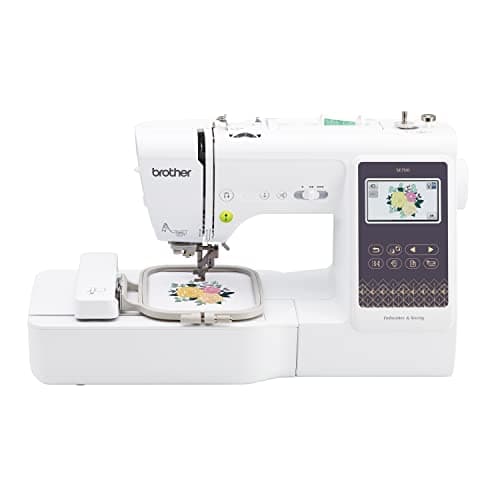
Brother
Brother SE700
Entry combo tier
The cheapest honest way into machine embroidery, and the machine most people outgrow first. A 4 x 4 in hoop is 16 square inches of design area: it will monogram, it will do a left-chest logo, and it will not do the back of a jacket.
Skip it if: You already know you want designs bigger than a coaster. The 4 x 4 in ceiling is fixed in hardware and no accessory hoop lifts it.
#ad Price as of October 18, 2026, from Amazon. Prices change. How this site is funded.
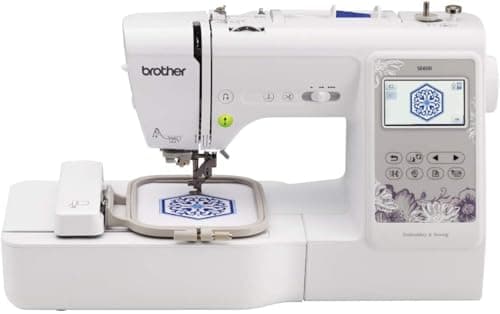
Brother
Brother SE600
Entry combo tier
The SE700 with 55 fewer built-in designs and a tenth of an inch more published work-area height. If it is cheaper on the day you look, the difference in what you can actually stitch is nil.
Skip it if: You want the SE700's larger design library, and the two are priced within a few dollars of each other.
#ad Price as of October 18, 2026, from Amazon. Prices change. How this site is funded.
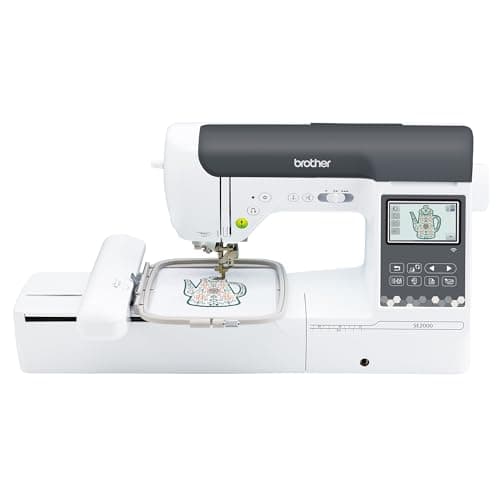
Brother
Brother SE2000
Upper combo tier
The combo machine to buy if you are upgrading rather than starting: 5 x 7 in of field, 241 sewing stitches, a 3.7 in color screen, wireless design transfer, and published speed figures, which most of Brother's range does not have.
Skip it if: You are going to want 6 x 10 in within a year. Buy the field you will need, not the field you need today.
#ad Price as of October 18, 2026, from Amazon. Prices change. How this site is funded.
How this was ranked
Machines we claim to have tested: none. Everyone in this category says they tested twenty. We have not tested any, and we say so. What we did instead: built the candidate set from what Amazon actually stocks, read the published specification off each manufacturer’s own page, normalized every measurement into the same units and the same order, did the arithmetic on what each step up buys, and left every figure the maker does not publish visibly blank rather than filling it in. Every number on this page links to where it was published, so you can check the work in about five minutes.
- Sponsored placements
- 0
- Free machines accepted
- 0
- Specs linked to a maker page
- All
Questions people actually ask
Frequently asked
What is the difference between the Brother SE600 and SE700?
The design library: 135 built-in designs on the SE700 against 80 on the SE600. Everything else that Brother publishes is effectively identical - same 4 x 4 in field, same 6.4 in work area width, same 3.2 x 1.8 in display, same 103 sewing stitches.
Is the SE700 worth more than the SE600?
Only if the price gap is small. You are buying 55 extra built-in designs, and most people end up stitching downloaded files rather than built-in ones.
Do the SE600 and SE700 have the same hoop size?
Yes. Brother publishes a 4 x 4 in maximum embroidery area for both. That is a hardware limit set by carriage travel, so no accessory hoop lifts it on either machine.
Which is faster, the SE600 or the SE700?
Brother does not publish a maximum embroidery speed for either machine, so there is no answer that comes from the manufacturer. We leave that comparison blank rather than estimating it.
Should I buy the SE2000 instead?
Probably, unless you only want monograms. It publishes 5 x 7 in - 119% more design area - plus wireless transfer, a 3.7 in color touchscreen, 241 sewing stitches and both speed figures.
Sources
Every specification on this page was read from one of these pages on 1 September 2026.