Skip to content

Roundup

The best embroidery machines for monogramming

This is the one page on this site where the entry tier wins on merit rather than on price. A monogram fits in four inches, and everything above that is headroom you will not use.

By Scooter M., enthusiastPublished September 13, 2026How we pick

Heads up: the buy links on this page are affiliate links. If you buy through one we earn a commission at no extra cost to you. It does not change what we recommend or the order we rank things in - here is how we keep those separate.

The shortlist

Ranked, with the numbers

Ranked on published manufacturer specifications, normalized to the same units, with the arithmetic on what each step up actually buys. Tap any row for the full write-up, including who should skip it.

#MachineBest forScorePrice
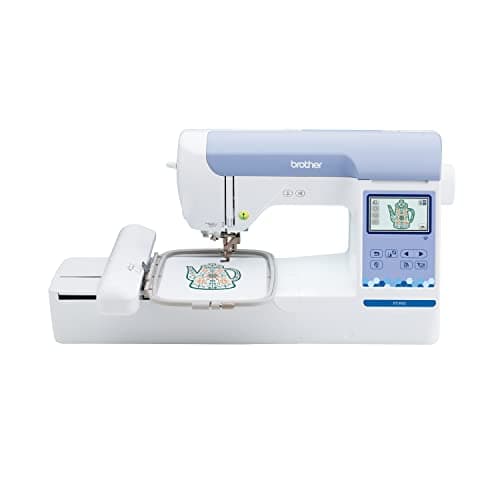
01Brother SE700Brother SE700A first embroidery machine you expect to replaceBest for monogramming7.4$529.99 - View on Amazon
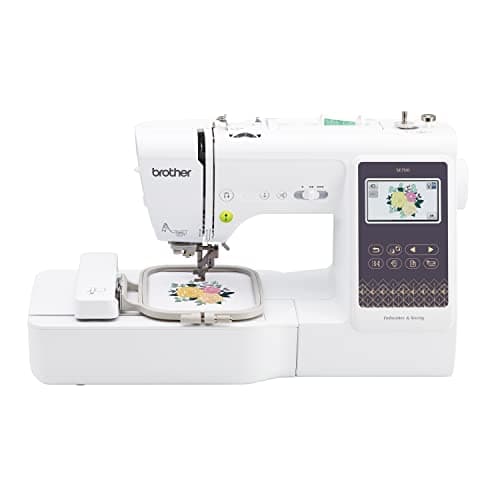
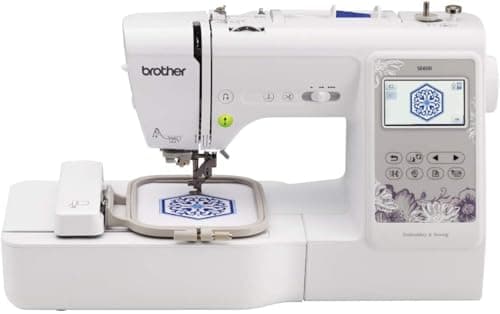
02Brother SE600Brother SE600Buyers cross-shopping the SE600 against the SE700Best monogram value7.1$589.99 - View on Amazon
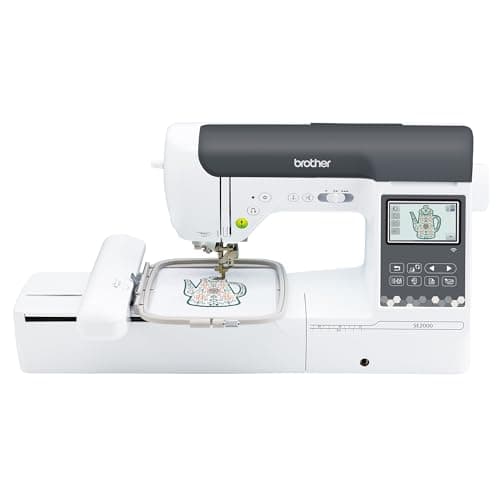
03Brother SE2000Brother SE2000The upgrade out of a 4 x 4 in combo machineBest for large monograms8.6$1,499.99 - View on Amazon
04Brother PE900Brother PE900A 5 x 7 in embroidery-only machine you will use every weekBest monogrammer that does not sew8.4$1,179.99 - View on Amazon

Scores are ours and editorial. They are never published as review or rating markup, because we have not tested these machines - here is what we did instead.

The short answer

The Brother SE700 - and for once, buying up is the wrong advice.

A three-letter monogram on a towel, a robe cuff or a napkin is typically 2 to 4 inches wide. Brother publishes a 4 x 4 in field - 16 square inches - on the SE700, plus 135 built-in designs, over 103 sewing stitches and a touchscreen for positioning.

Every other page on this site tells you to stretch for a larger field. If monogramming is genuinely what you are buying for, that advice does not apply, and paying for 35 or 60 square inches you will never fill is simply a worse purchase.

How we judged this

Monogramming inverts the site’s normal ranking, so the criteria change with it.

1. Field size - the criterion that stops mattering

A monogram is small by definition. Three letters at a generous 3 inches wide needs about 9 square inches of the 16 a 4 x 4 in machine gives you. The ceiling that defines every other buying decision on this site never binds here.

The one exception: a large monogram on a tote panel, a blanket corner or a robe back can run 5 to 6 inches. If that is what you picture, you want the 5 x 7 in tier - and that is the entire reason two machines from it are on this list.

2. Built-in fonts and on-machine lettering

This is the criterion that actually separates monogramming machines, because most monograms are typed rather than digitized. What matters is how many lettering fonts are built in and whether you can combine, resize, rotate and arch letters on the machine itself instead of at a computer.

A touchscreen matters more here than on any other page, for exactly this reason - a monogram is positioned by eye, adjusted, and stitched.

3. Whether it marks the fabric

Monogramming and towels go together, and toweling is the fabric most likely to keep a hoop ring. Brother publishes a compatibility list for its 4 x 7 in magnetic frame covering the PE800, PE900, SE1900 and SE2000 - note that the two entry machines at the top of this list are not on it, which is the honest cost of buying cheap here.

The machines, on published numbers

Monogram-relevant specifications from Brother's product pages
MachineFieldBuilt-in designsDisplayMagnetic frame listedSews?
Brother SE7004 x 4 in1353.2 x 1.8 in LCDNot on Brother's listYes, over 103 stitches
Brother SE6004 x 4 in803.2 x 1.8 in LCDNot on Brother's listYes, 103 stitches
Brother SE20005 x 7 in1933.7 in color touchscreenYesYes, 241 stitches
Brother PE9005 x 7 in1933.7 in LCDYesNo

Why the usual advice is wrong on this page

A 3 in monogram occupies about 9 square inches.

A 4 x 4 in machine gives you 16 - about 78% more room than the job needs. A 5 x 7 in machine gives you 35, which is nearly four times the area of the design.

Paying for the 6 x 10 in tier to monogram is buying 60 square inches to fill 9. Field size is the right thing to stretch for on almost every other page here. It is not on this one.

Why each machine placed where it did

1. Brother SE700 - the right size, with the better library

135 built-in designs against the SE600’s 80, a touchscreen for positioning, and it sews as well as embroiders so hemming a monogrammed napkin happens on the same machine. For the job as described, nothing above it does monograms better.

The honest drawback: it is not on Brother’s magnetic frame list, so towel hoop marks are a technique problem rather than a hardware-solved one. Brother publishes no speed figure for it. And if you later want anything bigger than a monogram, the 4 x 4 in ceiling is fixed and you will be buying again.

2. Brother SE600 - the same field, fewer designs

Brother publishes the identical 4 x 4 in field, 103 sewing stitches and a 6.4 x 4.1 in work area. For monogramming specifically, the practical difference from the SE700 is the built-in design count, and monograms are typed rather than picked from a library.

The honest drawback: 80 designs against 135, and the same absence from the magnetic frame list. Buy it over the SE700 only when it is actually cheaper on the day - the two are compared here.

3. Brother SE2000 - for monograms that are not small

5 x 7 in, 193 built-in designs, a 3.7 in color touchscreen that makes on-machine lettering genuinely comfortable, wireless transfer, both speeds published, and it is on the magnetic frame list - which for towel work is the most useful line on its specification sheet.

The honest drawback: for a 3 in monogram you are paying for roughly four times the area you need. Justified only if you also want large monograms, robe backs or blanket corners - or if towels are most of your work and you want the magnetic frame.

4. Brother PE900 - the same, without the sewing head

Same 5 x 7 in field, same 193 designs, same 650 spm, 7.4 in from needle to arm, wireless, and on the magnetic frame list. Cheaper than the SE2000 because there is no sewing machine inside it.

The honest drawback: it does not sew. For monogramming that often matters more than it sounds, because monogrammed items are frequently items you also hemmed. If you do not already own a sewing machine, this is the wrong buy.

Skip this

Do not buy the 6 x 10 in tier to monogram

It is the most common overbuy in this category. Sixty square inches to stitch nine is money that would be better spent on a magnetic frame, a stock of cutaway and tear-away backing, and a second hoop.

The exception is if monogramming is one of several things you want to do and the others are big - the large-designs roundup is the page for that, and the main roundup ranks the whole range.

Choosing in two questions

How big is your largest monogram? Under 4 inches: the entry tier is genuinely the right buy and you should not be talked up. Five inches or more, or on a blanket or robe back: 5 x 7 in.

Do you monogram towels? If yes, weight the magnetic frame compatibility heavily - it is the difference between a finished towel and a towel with a ring in it. The magnetic hoop page covers what it fixes and what it costs you in field width.
The write-ups

Every pick, in full

01 / Best for monogramming

Brother SE700

Brother

7.4 / 10

Entry combo tier

Brother SE700

The cheapest honest way into machine embroidery, and the machine most people outgrow first. A 4 x 4 in hoop is 16 square inches of design area: it will monogram, it will do a left-chest logo, and it will not do the back of a jacket.

$529.99 - View on Amazon

#ad Price as of September 13, 2026, from Amazon. Prices change. How this site is funded.

Published specifications for the Brother SE700, with the source of each
SpecificationPublished valueWhere it is published
Maximum embroidery area4 in x 4 inPublished as "4" x 4"" maximum embroidery areaBrother SE700 product page
Work area (needle to arm)6.4 in wide x 4.0 in highPublished as "6.4" x 4.0" work area"Brother SE700 product page
Built-in embroidery designs135Brother SE700 product page
Built-in sewing stitchesOver 103Brother SE700 product page
Display3.2 in x 1.8 in LCDBrother SE700 product page
Maximum embroidery speedBrother does not publish a figure for this modelBrother SE700 product page

The arithmetic

Moving from a 4 x 4 in hoop to a 5 x 7 in hoop is not 75% more room. It is 119% more.

4 x 4 = 16 sq in. 5 x 7 = 35 sq in. 35 / 16 = 2.19, so the 5 x 7 in field is 119% larger. That is the biggest proportional jump anywhere in the Brother range, and it is why the SE700 is the machine most first buyers replace.

What it does well

  • Sews and embroiders, so it can be the only machine on the table
  • Touchscreen design editing rather than a button-and-dial interface
  • The 6.4 in work area matches the SE600, so piecing is unaffected

What it does not

  • 4 x 4 in is a hardware ceiling, not a hoop you can buy past
  • Brother publishes no stitches-per-minute figure for it

Skip this one if

You already know you want designs bigger than a coaster. The 4 x 4 in ceiling is fixed in hardware and no accessory hoop lifts it.

How it scores, by criterion

Room to work4.5
What it upgrades from8.5
Value for the tier8.0
Headroom before the next upgrade4.0
Spec transparency7.0

02 / Best monogram value

Brother SE600

Brother

7.1 / 10

Entry combo tier

Brother SE600

The SE700 with 55 fewer built-in designs and a tenth of an inch more published work-area height. If it is cheaper on the day you look, the difference in what you can actually stitch is nil.

$589.99 - View on Amazon

#ad Price as of September 13, 2026, from Amazon. Prices change. How this site is funded.

Published specifications for the Brother SE600, with the source of each
SpecificationPublished valueWhere it is published
Maximum embroidery area4 in x 4 inPublished as "4" x 4" Maximum embroidery area"Brother SE600 product page
Work area (needle to arm)6.4 in wide x 4.1 in highPublished as "6.4" w x 4.1" h needle-to-arm workspace"Brother SE600 product page
Built-in embroidery designs80Brother SE600 product page
Built-in sewing stitches103Brother SE600 product page
Display3.2 in x 1.8 in LCDBrother SE600 product page

What it does well

  • Same 4 x 4 in field and effectively the same work area as the SE700
  • Frequently the cheaper of the two
  • 103 built-in stitches is a full domestic sewing feature set

What it does not

  • 80 built-in designs against the SE700's 135
  • Same 4 x 4 in ceiling, so it is outgrown on the same timeline

Skip this one if

You want the SE700's larger design library, and the two are priced within a few dollars of each other.

How it scores, by criterion

Room to work4.5
What it upgrades from8.0
Value for the tier8.0
Headroom before the next upgrade4.0
Spec transparency7.0

03 / Best for large monograms

Brother SE2000

Brother

8.6 / 10

Upper combo tier

Brother SE2000

The combo machine to buy if you are upgrading rather than starting: 5 x 7 in of field, 241 sewing stitches, a 3.7 in color screen, wireless design transfer, and published speed figures, which most of Brother's range does not have.

$1,499.99 - View on Amazon

#ad Price as of September 13, 2026, from Amazon. Prices change. How this site is funded.

Published specifications for the Brother SE2000, with the source of each
SpecificationPublished valueWhere it is published
Maximum embroidery area5 in x 7 inPublished as "5" x 7""Brother SE2000 product page
Needle to arm7.4 inPublished as "7.4" from needle to arm"Brother SE2000 product page
Maximum embroidery speed650 stitches per minuteBrother SE2000 product page
Maximum sewing speed850 stitches per minuteBrother SE2000 product page
Built-in embroidery designs193Brother SE2000 product page
Built-in sewing stitches241Brother SE2000 product page
Magnetic hoop supportTakes the Brother 4 in x 7 in magnetic hoopBrother SE2000 product page
Display3.7 in color LCD touchscreenBrother SE2000 product page

The arithmetic

5 x 7 in is 35 sq in of design area. 4 x 4 in is 16. The upgrade more than doubles what you can stitch in one hooping.

35 / 16 = 2.19. Everything that previously needed splitting across two hoopings - a full back design, a large name drop, most jacket work - becomes a single hooping. The time saved is not the stitching. It is the re-hooping and the alignment.

What it does well

  • 119% more design area than any 4 x 4 in machine
  • Brother publishes both speed figures, which the SE600 and SE700 pages do not
  • Wireless design transfer removes the USB stick from the workflow
  • Officially supports the 4 x 7 in magnetic hoop, which is the real fix for hoop burn

What it does not

  • 650 spm embroidery is slow next to a multi-needle machine's 1,000
  • 7.4 in needle-to-arm is a domestic figure; it does not make this a quilting machine

Skip this one if

You are going to want 6 x 10 in within a year. Buy the field you will need, not the field you need today.

How it scores, by criterion

Room to work7.5
What it upgrades from9.5
Value for the tier8.5
Headroom before the next upgrade7.0
Spec transparency9.5

04 / Best monogrammer that does not sew

Brother PE900

Brother

8.4 / 10

Upper embroidery-only tier

Brother PE900

The PE800 with the numbers filled in: the same 5 x 7 in field, but Brother publishes 650 spm, 7.4 in from needle to arm, a 3.7 in screen and wireless transfer. What you pay extra for is the workflow, not the field.

$1,179.99 - View on Amazon

#ad Price as of September 13, 2026, from Amazon. Prices change. How this site is funded.

Published specifications for the Brother PE900, with the source of each
SpecificationPublished valueWhere it is published
Maximum embroidery area5 in x 7 inPublished as "5" x 7"" embroidery areaBrother PE900 product page
Needle to arm7.4 inPublished as "7.4" from needle to arm"Brother PE900 product page
Maximum embroidery speed650 stitches per minuteBrother PE900 product page
Built-in embroidery designs193Brother PE900 product page
Display3.7 in LCDBrother PE900 product page
WirelessWireless LAN enabled - designs transfer from a PC without USBBrother PE900 product page

What it does well

  • Brother publishes the speed, the reach and the screen size, which is unusual in this range
  • Wireless transfer, so no USB stick in the loop
  • 193 built-in designs against the PE800's 138

What it does not

  • Identical 5 x 7 in field to the cheaper PE800
  • 650 spm is well under a multi-needle machine's 1,000

Skip this one if

You embroider occasionally and the PE800 is meaningfully cheaper. The stitched result is identical.

How it scores, by criterion

Room to work7.5
What it upgrades from8.5
Value for the tier8.0
Headroom before the next upgrade7.0
Spec transparency9.5

How this was ranked

Machines we claim to have tested: none. Everyone in this category says they tested twenty. We have not tested any, and we say so. What we did instead: built the candidate set from what Amazon actually stocks, read the published specification off each manufacturer’s own page, normalized every measurement into the same units and the same order, did the arithmetic on what each step up buys, and left every figure the maker does not publish visibly blank rather than filling it in. Every number on this page links to where it was published, so you can check the work in about five minutes.

Sponsored placements
0
Free machines accepted
0
Specs linked to a maker page
All

The full method, including what we refuse to claim

Questions people actually ask

Frequently asked

What is the best embroidery machine for monogramming?

The Brother SE700. A monogram fits comfortably in its published 4 x 4 in field, it has 135 built-in designs and a touchscreen for positioning, and it sews as well. For monogramming specifically, paying for a larger field buys headroom you will not use.

Is a 4x4 hoop big enough for monogramming?

Yes, for most monograms. A three-letter monogram at a generous 3 inches wide uses about 9 of the 16 square inches a 4 x 4 in field gives you. Step up to 5 x 7 in only for large monograms on blanket corners, robe backs or tote panels.

How do you monogram towels without leaving a hoop mark?

Use a magnetic frame rather than a screw-tightened hoop. Brother publishes a compatibility list for its 4 x 7 in magnetic frame covering the PE800, PE900, SE1900 and SE2000. The entry-level SE600 and SE700 are not on that list, which is a real cost of buying at that tier for towel work.

Do you need special software to monogram?

Not for standard lettering. Machines at this tier have built-in fonts and let you type, combine, resize and rotate letters on the machine itself. Software only becomes necessary for custom monogram frames or unusual typefaces.

Can you monogram with a sewing machine instead?

Some sewing machines have basic lettering stitches, but the result is a stitched font rather than a filled satin monogram, and the letters are small and fixed. If monogramming is the goal, an embroidery machine is the tool - the difference in finish is obvious side by side.

What stabilizer do you use for monogramming towels?

A cutaway or heavy tear-away underneath, plus a water-soluble topping on the surface so the stitches sit on top of the pile rather than sinking into it. Skipping the topping is the most common reason a towel monogram looks fuzzy.

Sources

Every specification on this page was read from one of these pages on 1 September 2026.

Read next