Head to head
Brother PE800 vs SE1900
Identical embroidery field, identical design count, identical screen. One of them is also a sewing machine, and that is what you are choosing between.
Heads up: the buy links on this page are affiliate links. If you buy through one we earn a commission at no extra cost to you. It does not change what we recommend or the order we rank things in - here is how we keep those separate.
The short answer
Already own a sewing machine you like? The PE800. Is this your only machine? The SE1900.
Brother publishes a 5 x 7 in field, 138 designs with 11 fonts and a 3.2 x 1.8 in display for the PE800. It publishes a 5 x 7 in field, 138 designs and a 3 x 1.6 in display for the SE1900.
The embroidery you can make on these two machines is the same size, from the same size library, previewed on effectively the same screen. The SE1900 also has 240 built-in sewing stitches. The PE800 has none - it does not sew at all.
Side by side
| Specification | Brother PE800 | Brother SE1900 |
|---|---|---|
| Maximum embroidery area | 5 x 7 in | 5 x 7 in |
| Field area, calculated | 35.0 sq in | 35.0 sq in |
| Built-in embroidery designs | 138 designs, 11 fonts | 138 designs |
| Sewing stitches | None - dedicated embroidery machine | 240 |
| Display | 3.2 x 1.8 in | 3 x 1.6 in |
| Maximum embroidery speed | Not published by Brother | Not published by Brother |
| Work area (needle to arm) | Not published by Brother | Not published by Brother |
| 4 x 7 in magnetic frame | Listed as compatible | Listed as compatible |
Four of those rows are identical, two are within a fraction of an inch, and two say the same thing: Brother does not publish an embroidery speed or a work area for either machine. Nobody can rank these two on how fast they stitch, because the maker has never said.
The one real difference, priced honestly
You are choosing between paying for a sewing head and not paying for one.
If you already own a sewing machine you are happy with, the sewing head on the SE1900 is money spent on a capability you have twice. Worse, it is a machine that has to be reconfigured: when the embroidery unit is attached it is not available for piecing, so if you quilt and embroider in the same session you are swapping hardware back and forth.
If this is going to be the only machine on your table, the argument reverses completely. A PE800 cannot sew a seam, hem a garment or piece a quilt block. It embroiders and that is all it does.
Two machines are often cheaper than one that does both
The comparison people miss: a PE800 plus a basic domestic sewing machine frequently costs less than one combination machine at the same field size, and you end up with two machines that stay set up.
One embroiders a design unattended while you piece on the other. A single combination machine physically cannot do that, no matter which one you buy.
The screen difference is not a difference
3.2 x 1.8 in against 3 x 1.6 in. Both are small monochrome displays used for previewing and positioning a design. Neither is a color touchscreen and neither is pleasant for detailed editing.
If the screen is what you care about, neither of these is the machine. The SE2000 publishes a 3.7 in color LCD touchscreen and wireless design transfer, and the step up is covered on the SE2000 against the SE1900.
What neither machine gives you
A published speed. A published work area. A field larger than 35 square inches. If any of those is your constraint, this comparison is the wrong one - the 6 x 10 in tier is 71% more design area and the machines there are ranked on the large-designs roundup.
Skip this
Skip both if you want the numbers published
Brother publishes neither an embroidery speed nor a work area for the PE800 or the SE1900. Its own PE900 page publishes 650 spm and 7.4 in from needle to arm for what is otherwise the same 5 x 7 in field.
If you would rather buy a machine whose maker tells you how fast it runs, the PE900 is the same field with the numbers filled in, and it is compared with the PE800 on the PE800 against the PE900.
The picks
Both machines, and the upgrade from the SE1900
Brother
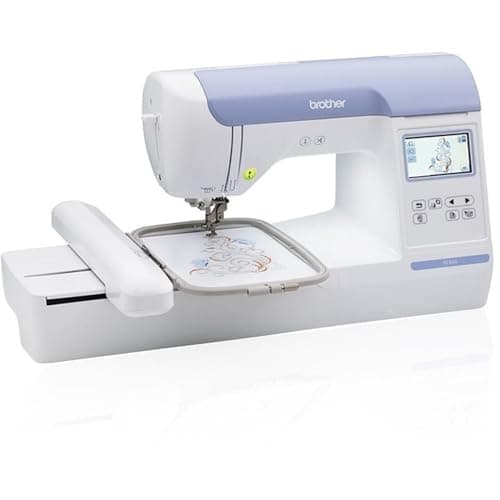
Brother PE800
Mid embroidery-only tier
5 x 7 in of field with no sewing head to pay for. If you already own a sewing machine you like, this is the cheapest route to a 5 x 7 in hoop.
Skip it if: This would be your only machine. It does not sew: no straight stitch, no seam, no hem.
#ad Price as of October 21, 2026, from Amazon. Prices change. How this site is funded.
Brother
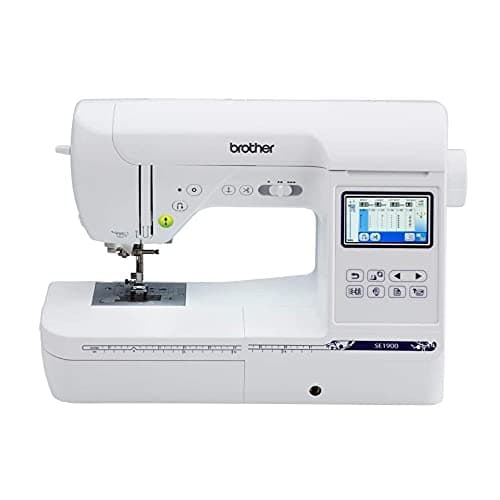
Brother SE1900
Upper combo tier
The SE2000's predecessor: same 5 x 7 in field, 240 sewing stitches, a smaller screen and no wireless. Worth buying on price alone, and Brother publishes neither a speed figure nor a work area for it.
Skip it if: The SE2000 is within about 15% of the price. Wireless transfer and the larger screen are the difference between a pleasant workflow and a USB stick.
#ad Price as of October 21, 2026, from Amazon. Prices change. How this site is funded.
Brother
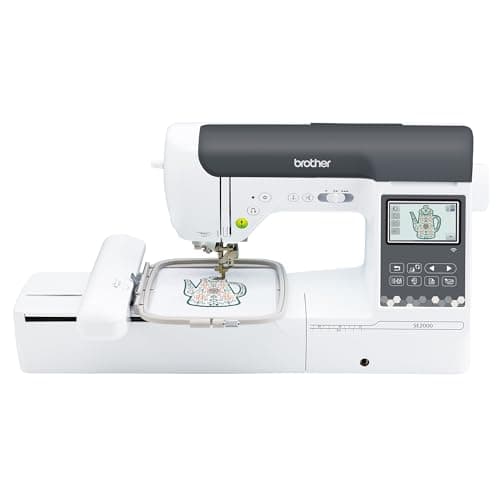
Brother SE2000
Upper combo tier
The combo machine to buy if you are upgrading rather than starting: 5 x 7 in of field, 241 sewing stitches, a 3.7 in color screen, wireless design transfer, and published speed figures, which most of Brother's range does not have.
Skip it if: You are going to want 6 x 10 in within a year. Buy the field you will need, not the field you need today.
#ad Price as of October 21, 2026, from Amazon. Prices change. How this site is funded.
How this was ranked
Machines we claim to have tested: none. Everyone in this category says they tested twenty. We have not tested any, and we say so. What we did instead: built the candidate set from what Amazon actually stocks, read the published specification off each manufacturer’s own page, normalized every measurement into the same units and the same order, did the arithmetic on what each step up buys, and left every figure the maker does not publish visibly blank rather than filling it in. Every number on this page links to where it was published, so you can check the work in about five minutes.
- Sponsored placements
- 0
- Free machines accepted
- 0
- Specs linked to a maker page
- All
Questions people actually ask
Frequently asked
What is the difference between the Brother PE800 and SE1900?
The SE1900 sews and the PE800 does not. Both publish the same 5 x 7 in embroidery field and the same 138 built-in designs; the SE1900 adds 240 sewing stitches and a slightly smaller screen. Neither has a published embroidery speed.
Do the PE800 and SE1900 embroider the same size?
Yes. Brother publishes 5 x 7 in for both, which is 35 square inches of design area. Neither can be extended past that with a larger hoop, because the limit is how far the carriage travels.
Should I buy an embroidery-only machine or a combination machine?
Embroidery-only if you already own a sewing machine you like - you get the same field for less, and both machines stay set up for their own job. Combination if this will be your only machine and you need to sew as well.
Can the Brother PE800 sew a seam?
No. It is a dedicated embroidery machine with no sewing capability at all - no straight stitch, no hem, no piecing. Brother states this plainly on the product page and it is the single most important thing to know before buying one.
Which is faster, the PE800 or the SE1900?
Unknown. Brother publishes no maximum embroidery speed for either machine. We leave the figure blank rather than estimating it - for reference, Brother does publish 650 spm for the PE900 and the SE2000.
Sources
Every specification on this page was read from one of these pages on 1 September 2026.